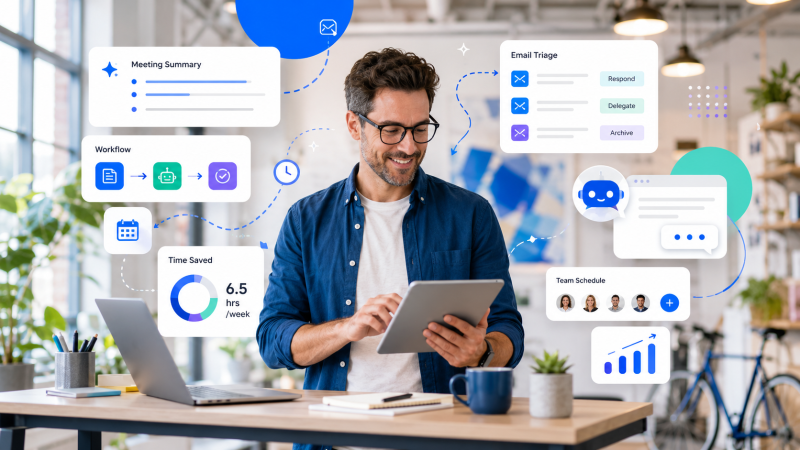
The modern corporate operating model is undergoing a massive shift. For years, professionals spent their days acting as human routers—manually moving data between spreadsheets, copying meeting transcripts into tracking boards, and manually triaging overstuffed email inboxes. This chaotic approach creates a severe drain on our limited daily cognitive bandwidth.
True operational leverage requires moving away from reactive software applications and moving toward proactive digital assistants. Powered by large language models, advanced context engines, and secure API frameworks, these tools don’t wait for step-by-step instructions. Instead, they actively study your specific operational habits, protect your focus time, and execute complex workflows entirely in the background.
1. Contextual Workspace Ecosystems and Cross-App Intelligence
The biggest operational bottleneck today is data fragmentation. When project documents, internal communication channels, and technical specifications live in completely isolated applications, valuable hours are wasted simply trying to locate essential context.
Modern intelligent digital assistants solve this issue by introducing a unified, conversational layer across your entire workplace stack.
Microsoft 365 Copilot & Google Gemini
Rather than forcing you to open separate programs, click through complex layout menus, or run manual lookups, these enterprise-grade assistants turn your entire office ecosystem into an interactive, natural language command center.
-
Seamless Context Handoff: You can start mapping out a strategic project proposal using your smartphone’s voice engine during your morning commute. The moment you open your desktop interface, the system seamlessly transfers the text, structures the layout, and has a formatted document waiting for final review.
-
Dynamic Information Synthesis: You can issue a single plain-text instruction like: “Compile our technical feedback logs from the team chat, build a comparative chart showing performance trends, and drop it straight into our shared management board.” The assistant securely processes the cross-app data and delivers the completed layout in seconds.
Notion AI
If your studio runs its core documentation on a centralized knowledge base, Notion AI serves as a powerful, built-in directory expert. It scans your complete historical archives, interconnected project tables, and media logs to establish deep contextual memory. You can use simple inline prompts to automatically pull hidden action points out of massive unformatted data files or instantly restructure highly technical descriptions into polished, client-facing overviews.
2. Proactive Time Defense and Adaptive Schedules
Traditional static calendar setups and basic booking links solve the issue of finding a time slot, but they are completely blind to actual cognitive limits. They treat all open calendar blocks equally, which often leads to consecutive meetings that fragment your day and leave no room for intensive creative work or technical development.
[Traditional Static Calendars] ──► Blindly stack consecutive meetings (High Fragment Risk)
[Intelligent AI Schedulers]    ──► Protects large, multi-hour blocks for core deep work
Motion & Reclaim.ai
These platforms go far beyond simple calendar tracking by applying machine learning algorithms to dynamically optimize your daily schedule. You simply input your ongoing tasks, estimated durations, and target completion deadlines.
-
Automated Conflict Re-Routing: If an urgent development issue or client call disrupts your afternoon, the scheduling engine silently shifts your lower-priority tasks to alternative open blocks later in the week, saving you from manual planning.
-
Strategic Workday Architecture: The algorithms continuously analyze your unique pacing and productivity patterns. They actively block out multi-hour windows for high-focus deep work during your peak mental performance hours, pushing routine admin syncs to your lower-energy periods.
3. Autonomous Communication Management and Meeting Engines
A massive amount of administrative time is lost to recording, transcribing, and documenting corporate conversations. Spending valuable hours after a long sync call typing up summary files, highlighting action items, and manually assigning tasks slows down your overall team momentum.
Fireflies.ai & Otter.ai
These intelligent voice assistants join your virtual conferencing environments (such as Zoom, Google Meet, or Teams) automatically to handle the documentation-heavy lifting.
-
Semantic Target Isolation: Instead of generating a long, confusing wall of basic speech-to-text transcript, the models isolate distinct speaker profiles, identify core contextual themes, and track explicit agreements.
-
Immediate Deliverables Generation: Within minutes of a call wrapping up, the system generates a concise, highly structured narrative document detailing exactly what choices were finalized and listing specific task assignments with clear individual ownership. This guarantees absolute team alignment without requiring anyone to re-watch hours of video.
Shortwave
Shortwave optimizes your email workspace by applying advanced language models directly to your email traffic. It groups related messaging threads based on underlying intent, highlights critical project requests, and drafts detailed, contextually accurate responses that perfectly match your personal professional tone and writing style.
Technical Performance and Tool Allocation Matrix
Achieving permanent efficiency gains requires avoiding a common mistake: trying to use a single, generalized tool to manage your entire workflow stack. Maximum speed is unlocked when you map specific operational bottlenecks to the correct specialized digital assistant layer.